Waypoint

Your TREK trip.
Now it travels with you.

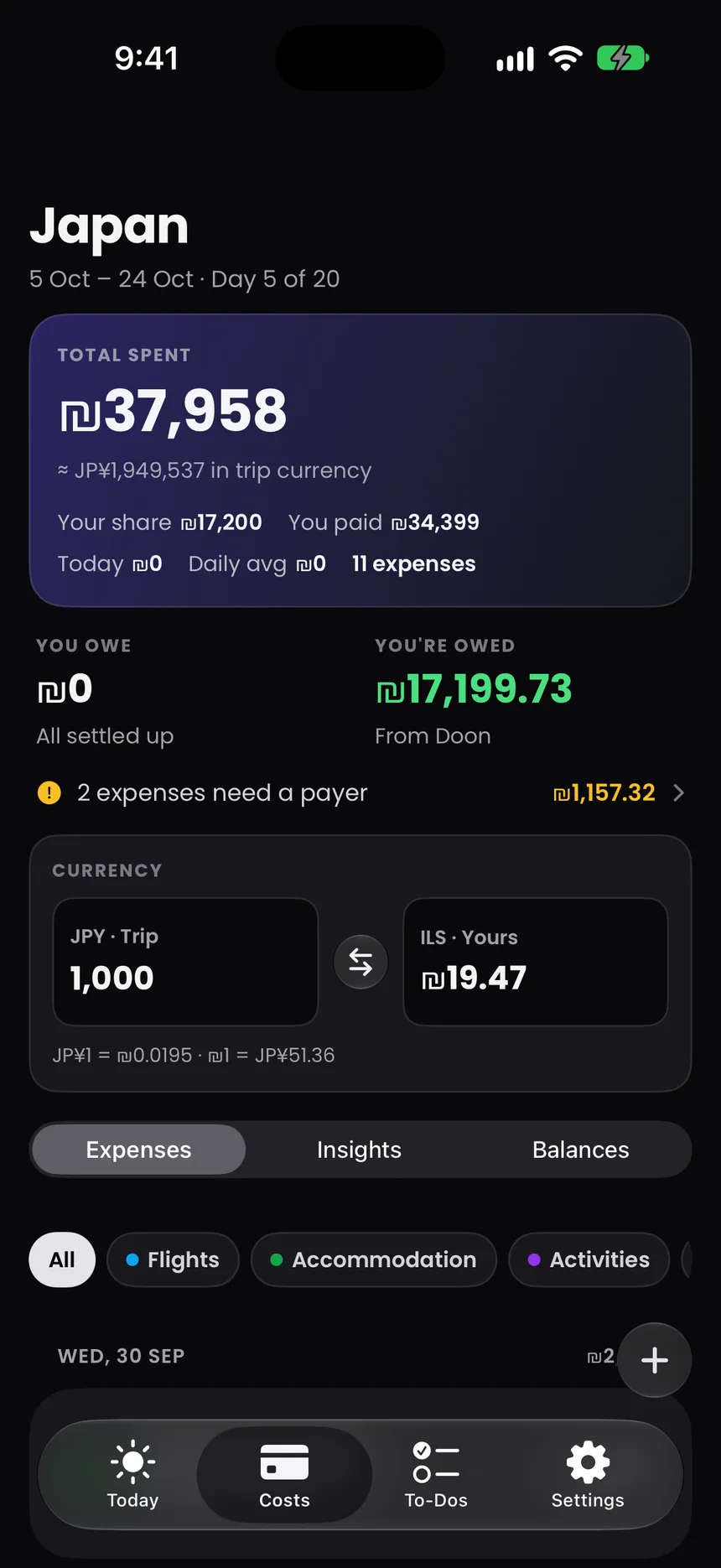
Costs tab: ₪37,958 spent on a trip to Japan, with who owes whom.
Lock Screen with a Waypoint Live Activity showing the next stop.
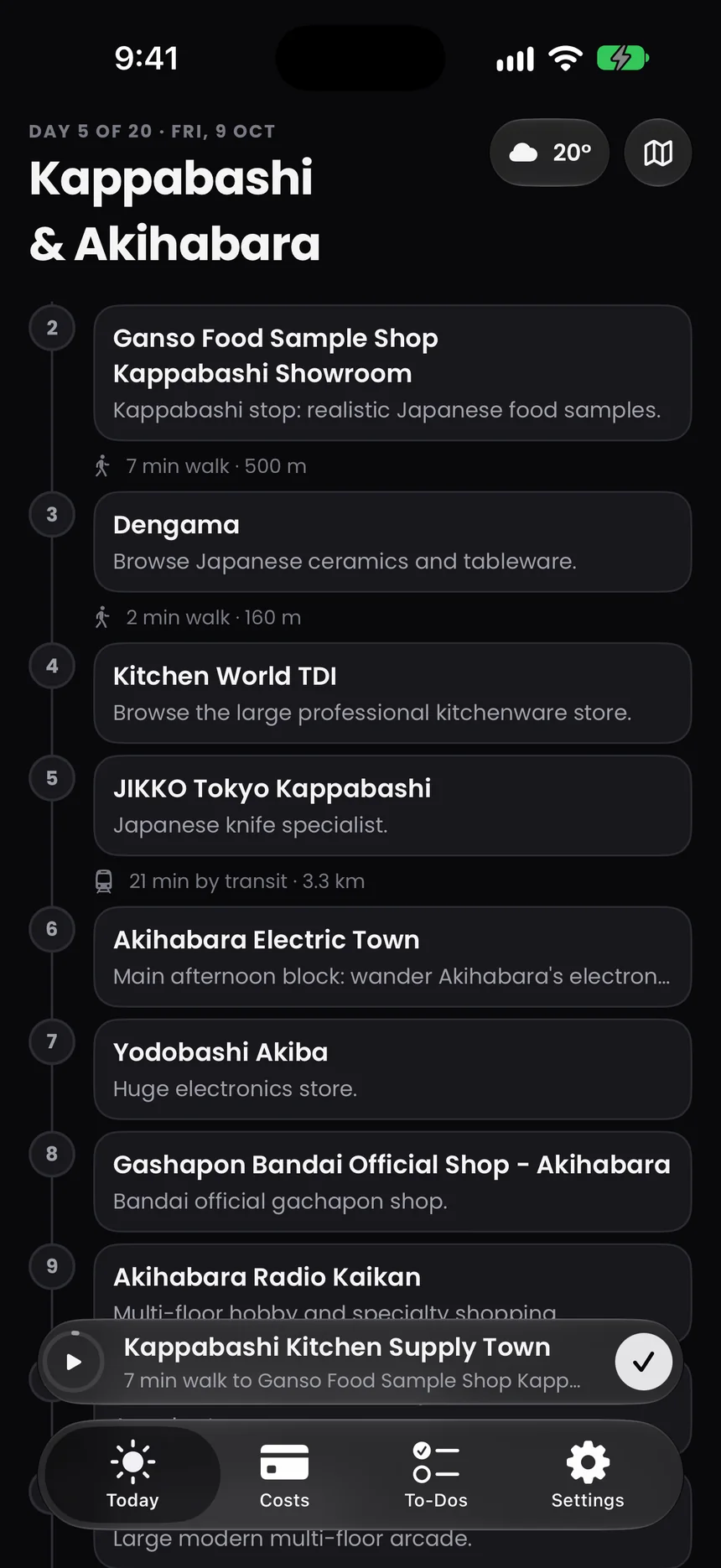
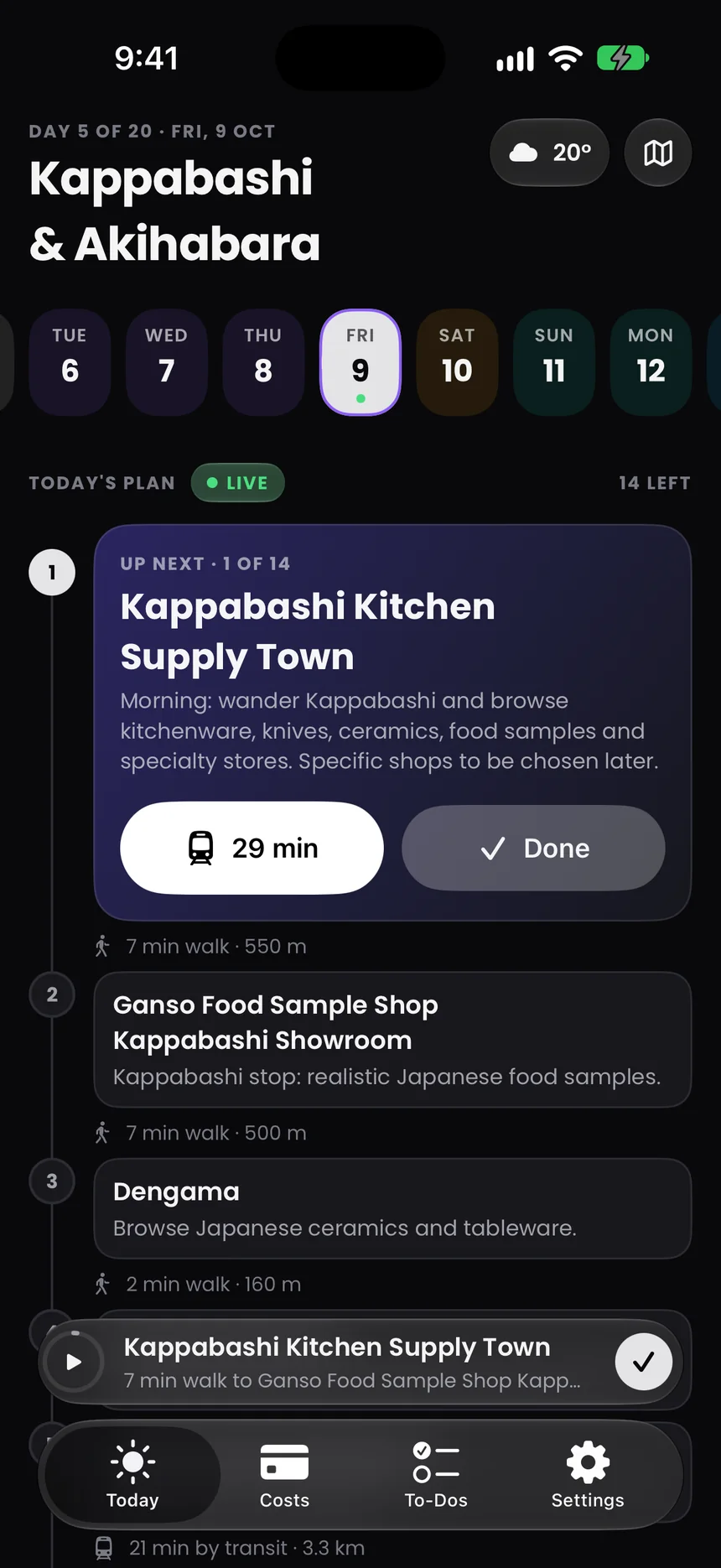
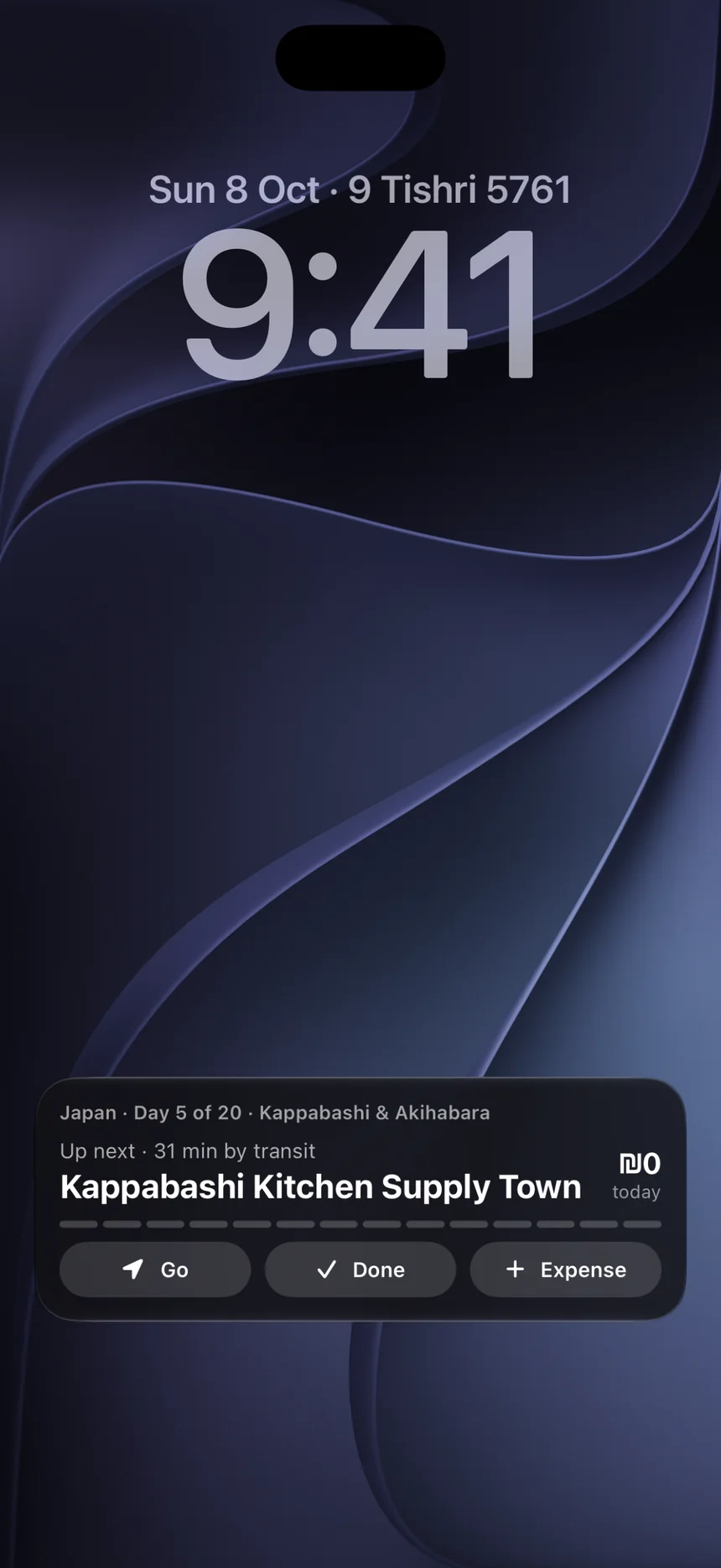
Today tab: day 5 of the Japan trip, Kappabashi and Akihabara, with the next stop up top.

Get the highlights.

Today

The day you’re
actually in.

Waypoint opens on today. Your stops in order, the walk or ride between them, the booking that’s coming up and the bed you sleep in tonight. The rest of the trip is a swipe away.

Up next, up top.

The next stop leads the day, notes and all. One tap for directions in Apple Maps, Google Maps or Waze. One tap to mark it done.
The walk in between.

Every leg says how you’ll get there. A 7 minute walk. A 21 minute train. So you know when to leave before you have to.
Every stop, on a map.

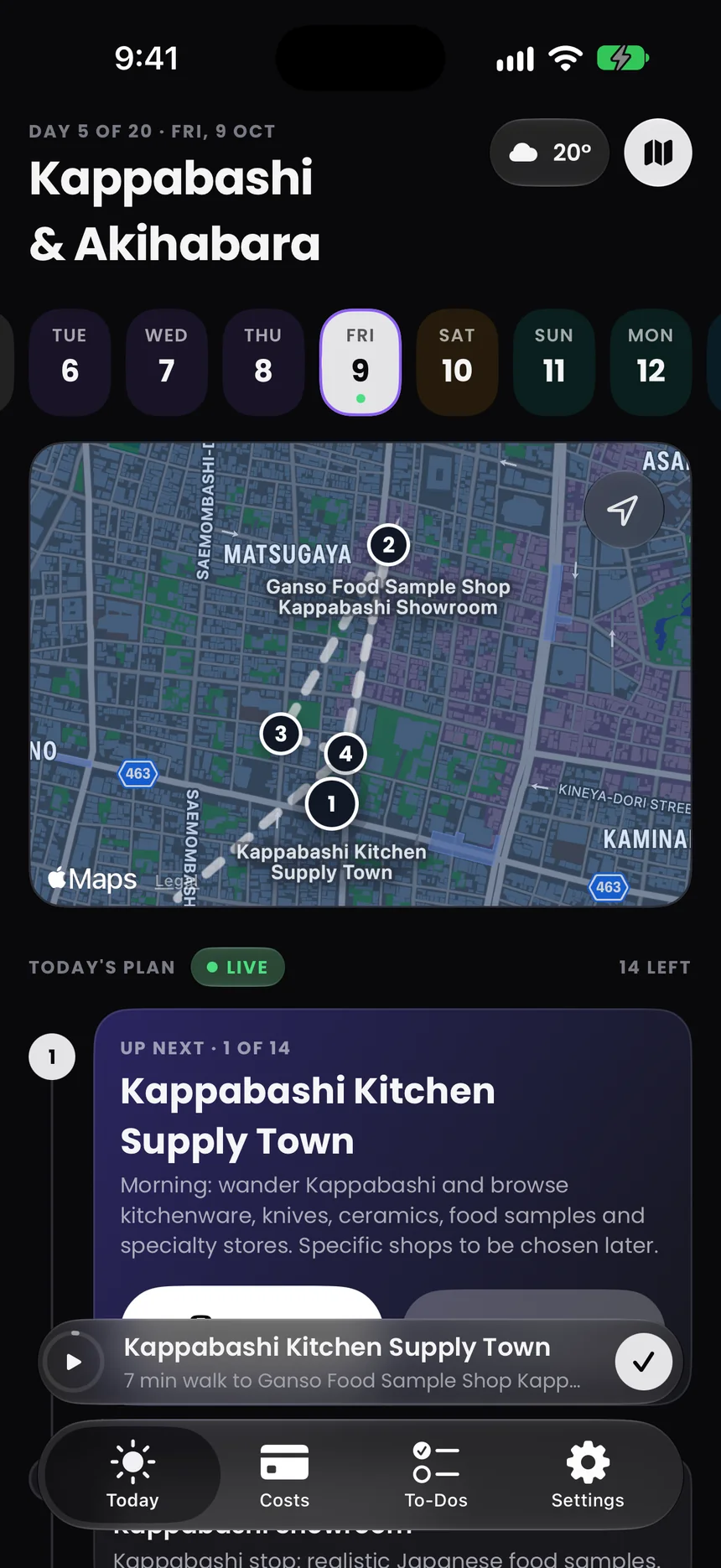
Open the map and the day’s pins are numbered in the order you’ll walk them, with the route drawn between. Weather for the next stop sits one tap away.
Tomorrow, already packed.

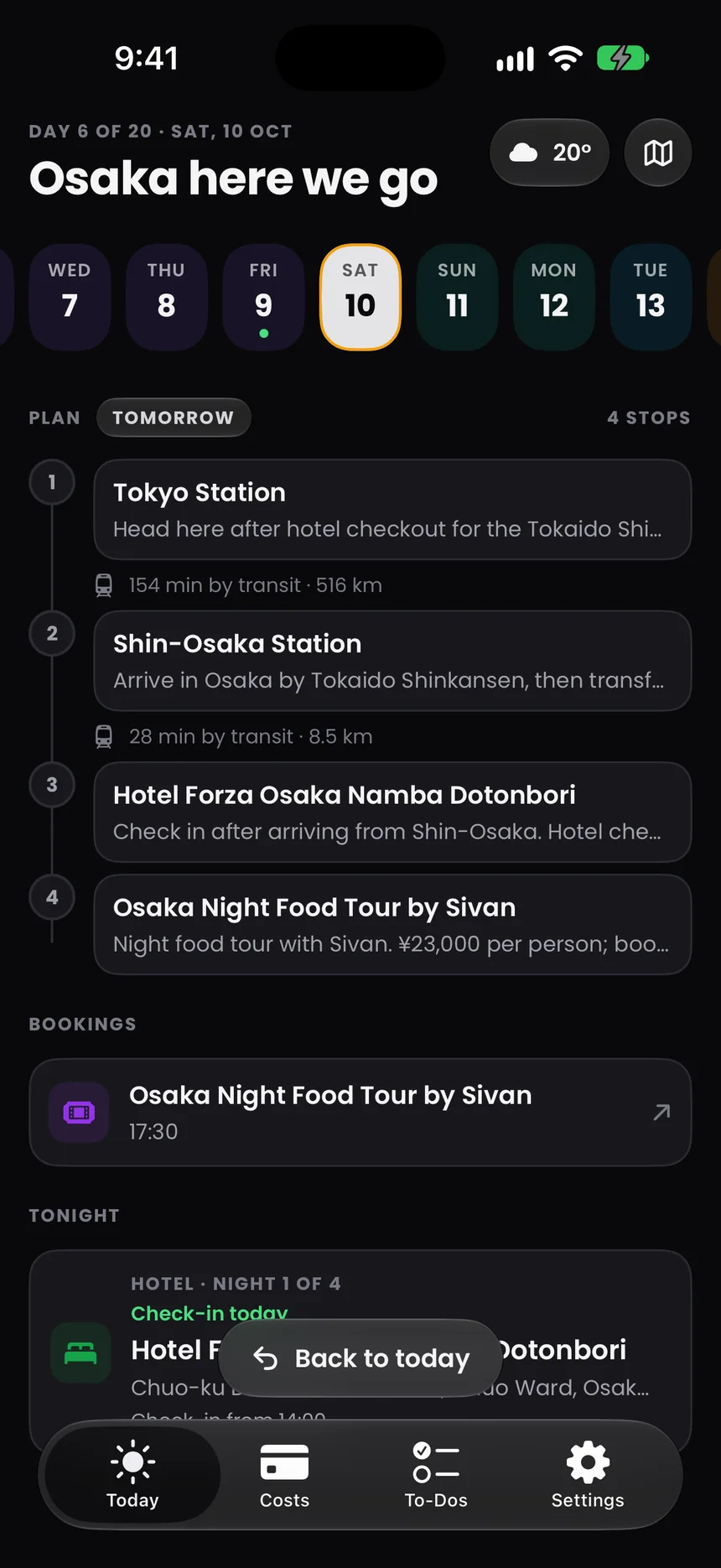
Swipe to any day. Travel days line up the train, the check-in and tonight’s hotel, next to the food tour booked for 17:30.
City to city.

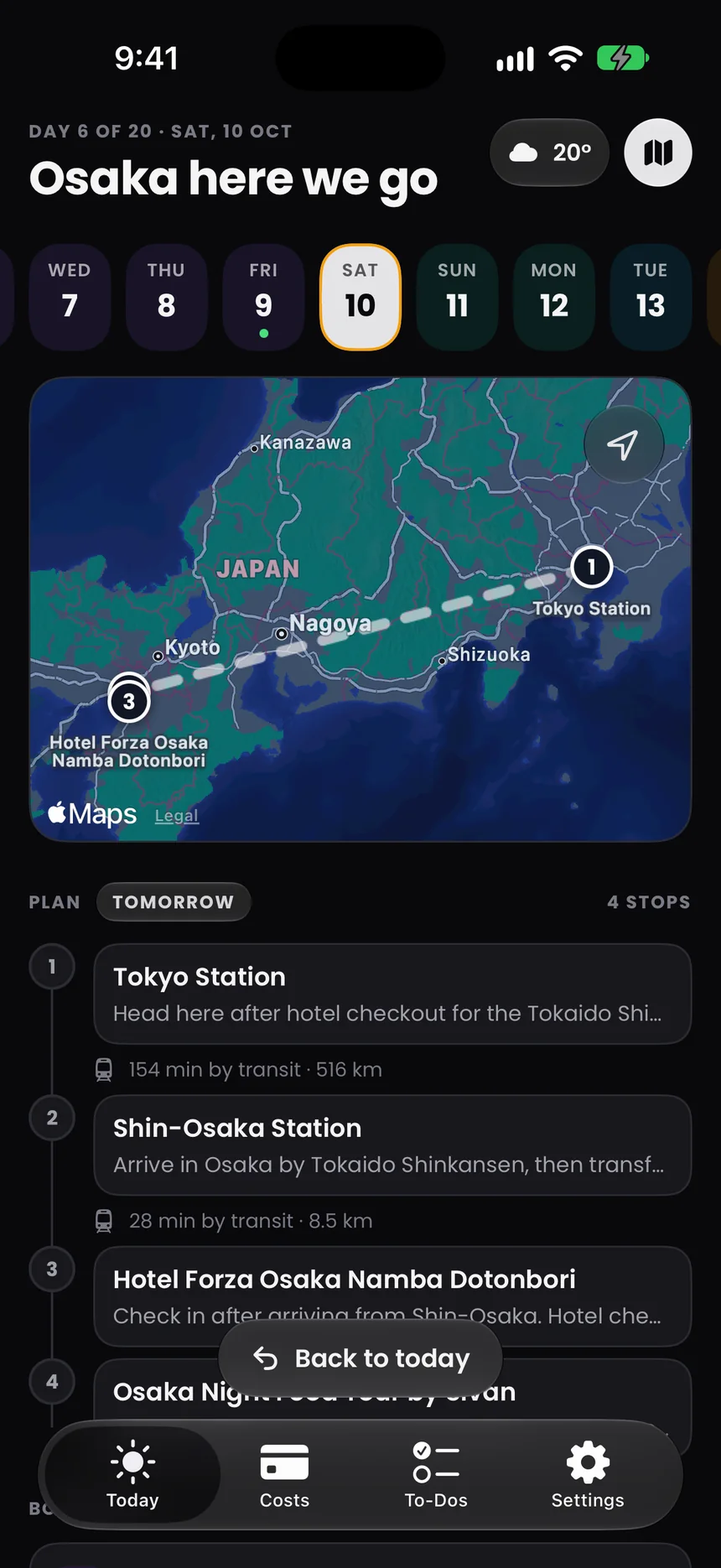
When the day covers a country, the map does too. 516 km of Shinkansen, Tokyo Station to Shin‑Osaka, in one line.
Live Activity

Up next.
Even when it’s locked.

Start the day and the next stop moves to your Lock Screen and the Dynamic Island. Go, Done and Expense are right there, no unlocking, no hunting for the app.

Lock Screen at 9:41 with a Waypoint Live Activity: up next Kappabashi Kitchen Supply Town, 31 min by transit, with Go, Done and Expense buttons.

It notices when you arrive.

Stay at a stop for a while and Waypoint marks it done, then moves Up Next along. It works with the app closed.3 Say no to location and the plan still works; you just tap Done yourself.

Widgets

Your trip, on your
Home Screen.

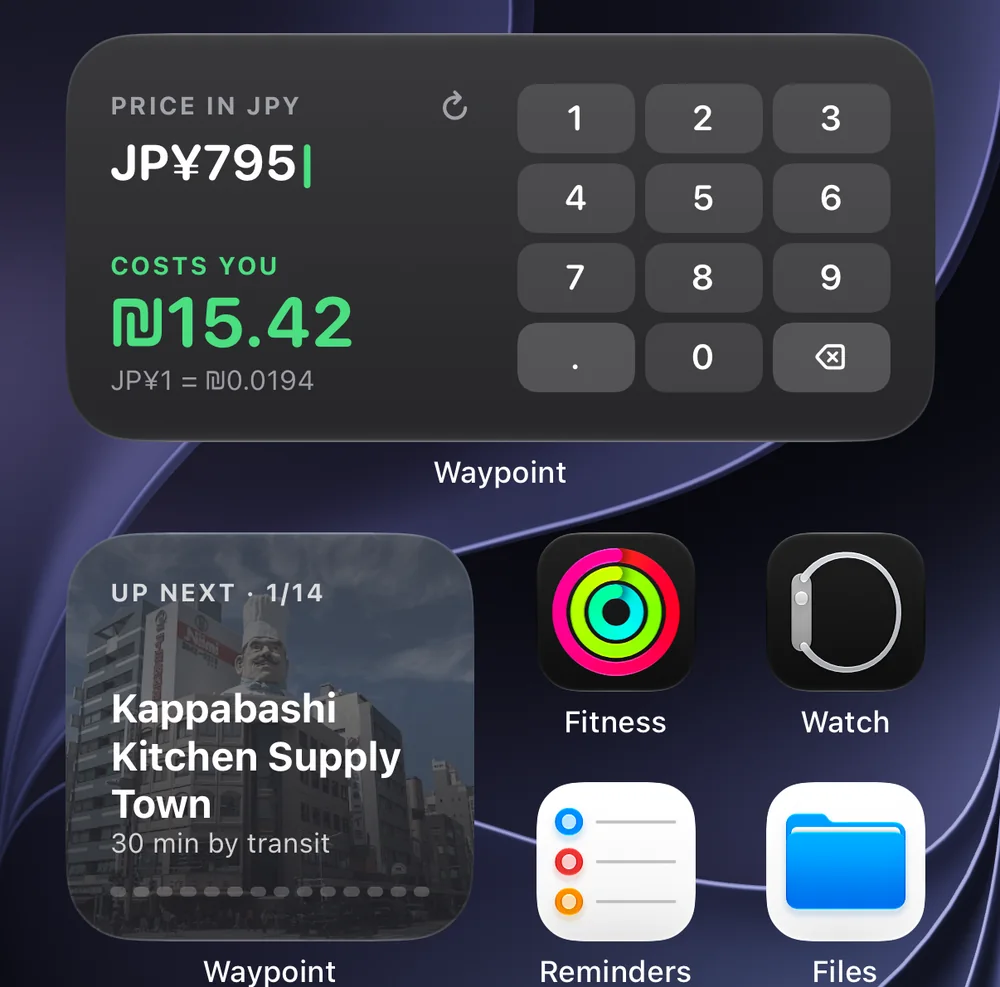
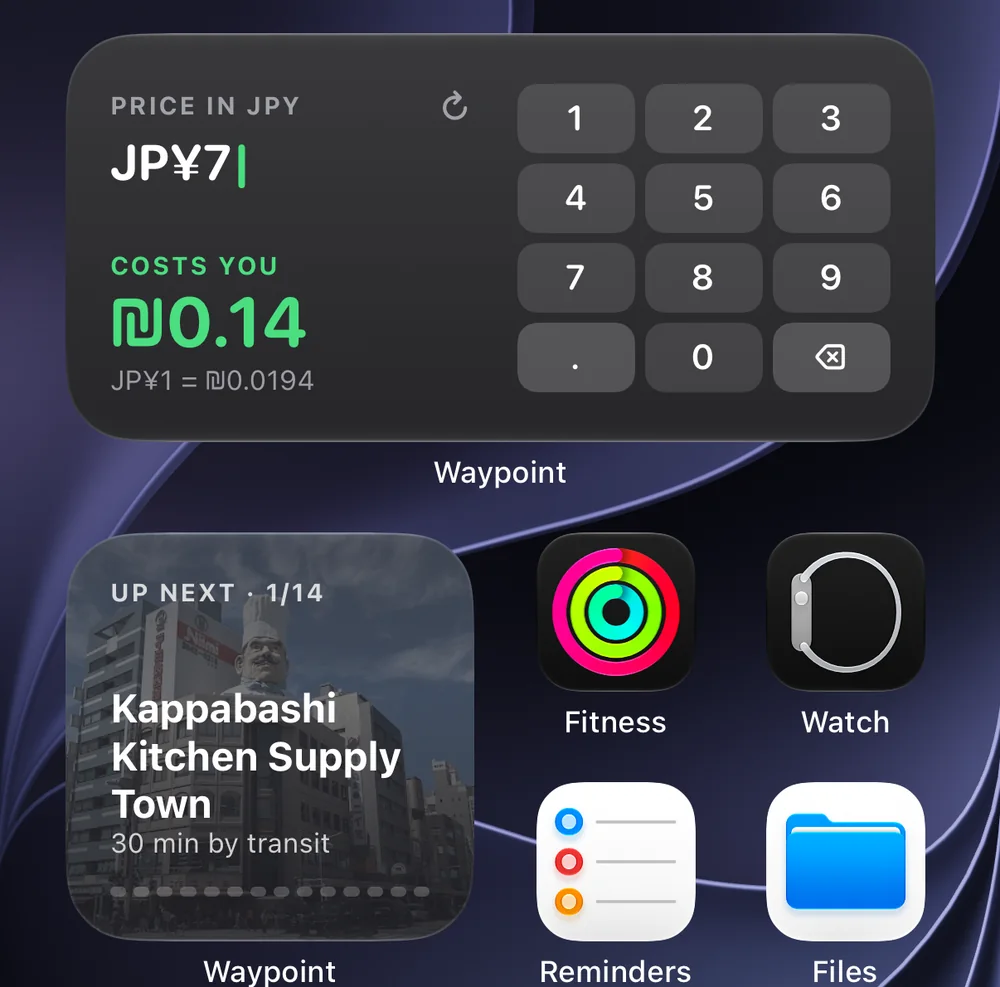
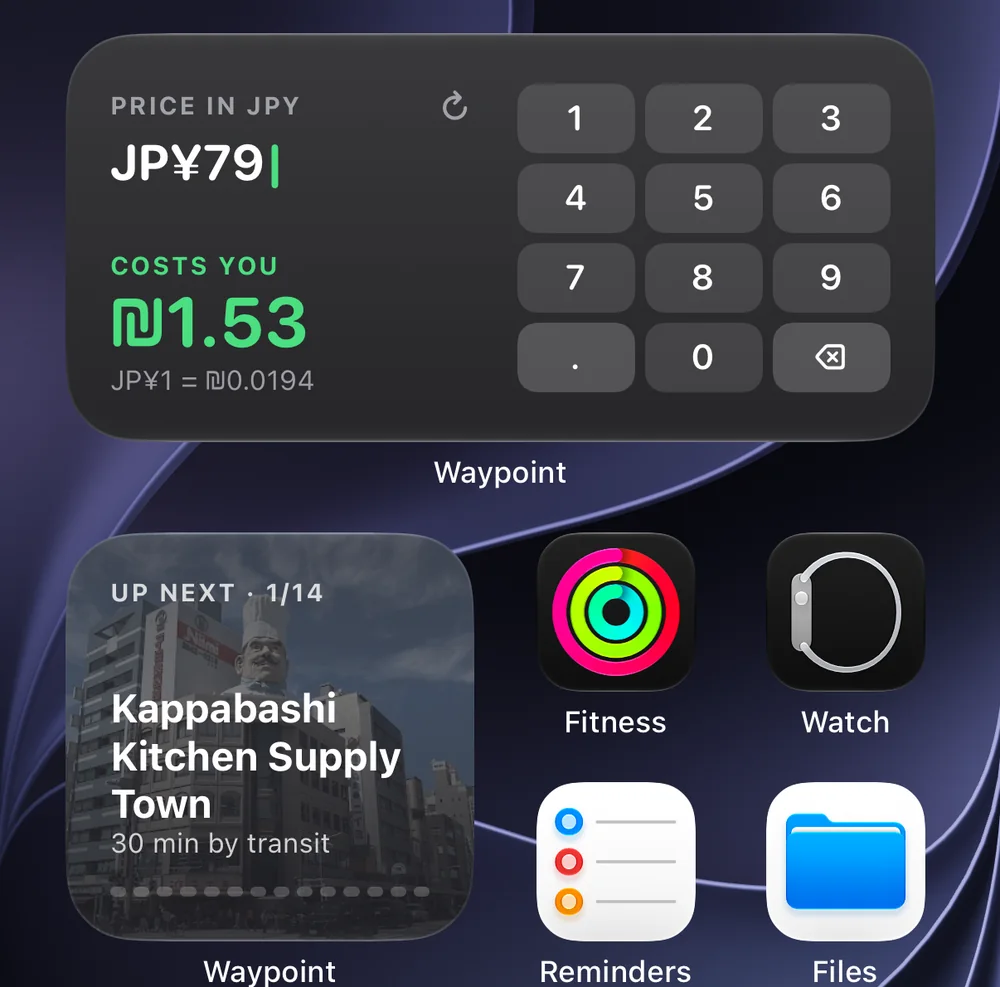
Up Next shows the stop with a photo of the place. The converter turns a price tag into your own money as you type it, right on the Home Screen.

Home Screen with the Waypoint converter widget and the Up Next widget.
  1. JP¥7₪0.14
  2. JP¥79₪1.53
  3. JP¥795₪15.42

Costs

Money,
minus the math.

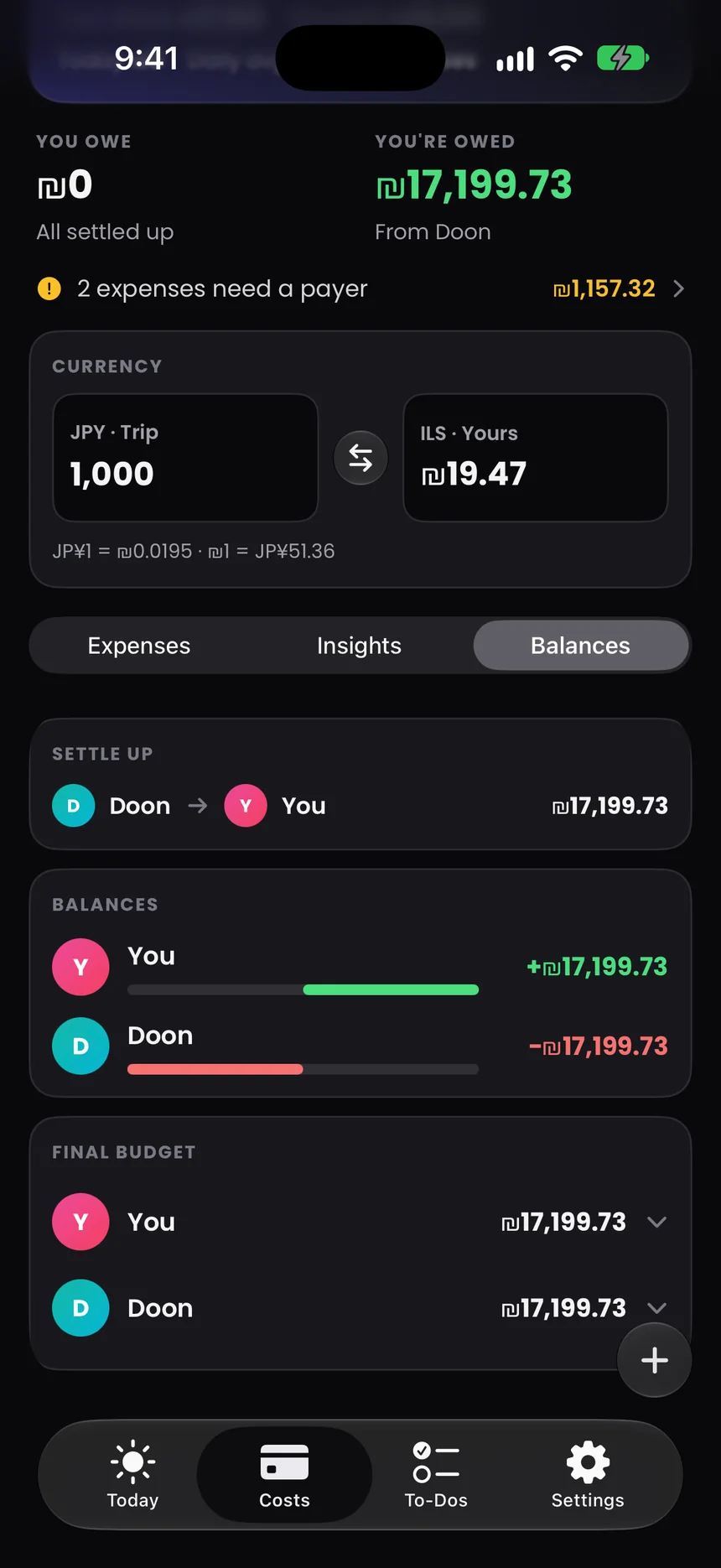
Costs is the other half of the trip. What it cost, what you spent today and who owes whom, in the trip’s currency and in yours.

Total spent

₪37,958

≈ JP¥1,949,537 in trip currency. Flights, hotels and ramen, in one number.

Costs tab for the Japan trip.

You’re owed

₪17,199.73

DDoon YYou

Split any expense. Settle up with one clear line.

By category

₪38K4 categories

  • Flights50%
  • Accommodation41%
  • Activities6%
  • Food3%

Receipt scanning

Point. Scan.
Filed under Food.

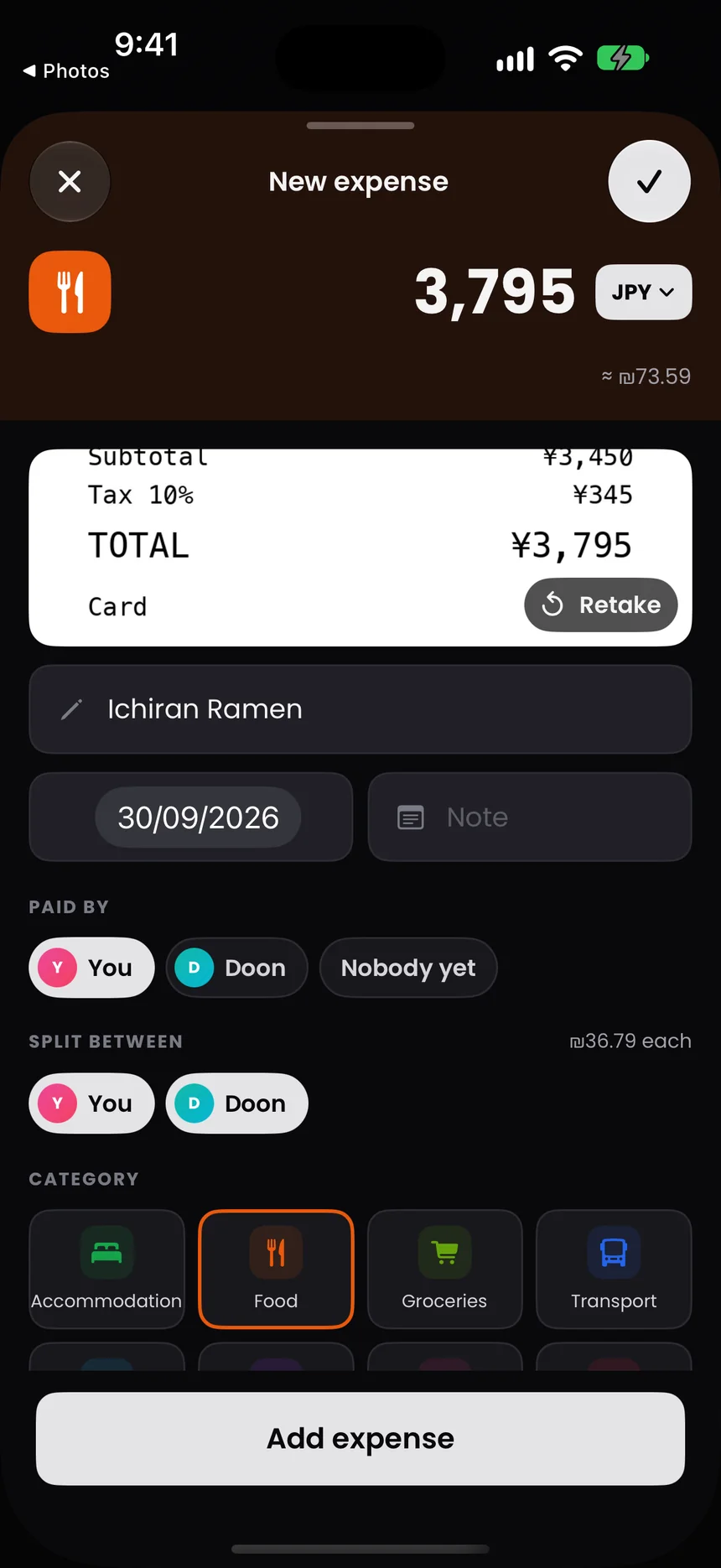
Waypoint reads the merchant, the total and the date, and picks the category. On your iPhone, not in someone’s cloud.1 The photo is kept with the expense as its receipt.

New expense: ¥3,795 at Ichiran Ramen, read from a receipt.

Tap to pay.
It’s already logged.

A Shortcut sends Apple Pay payments made on the trip into that same budget, categorised on device.2

Any currency.
Your money.

Public exchange rates, so a receipt in yen still lands in the trip’s budget.4
Journey

Photos, straight
to your Journey.

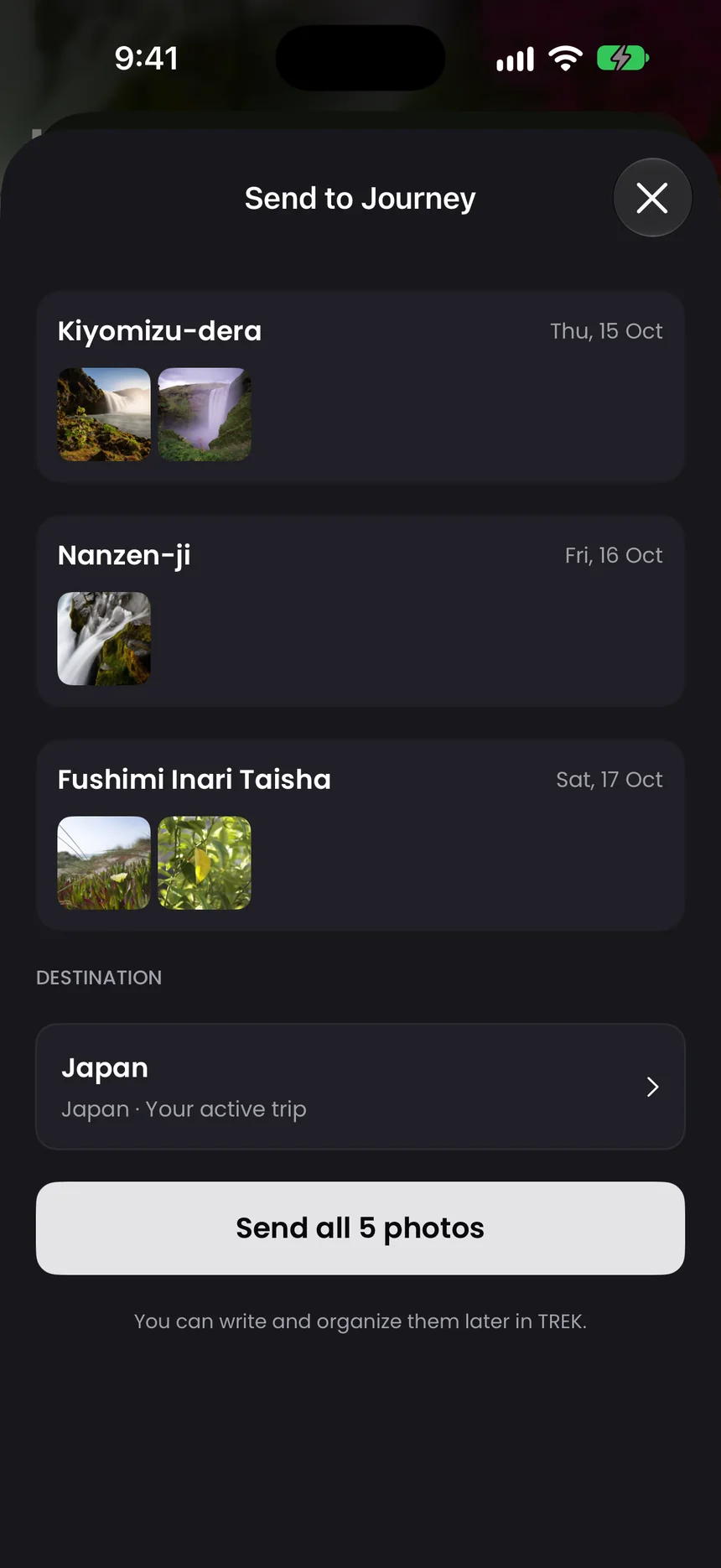
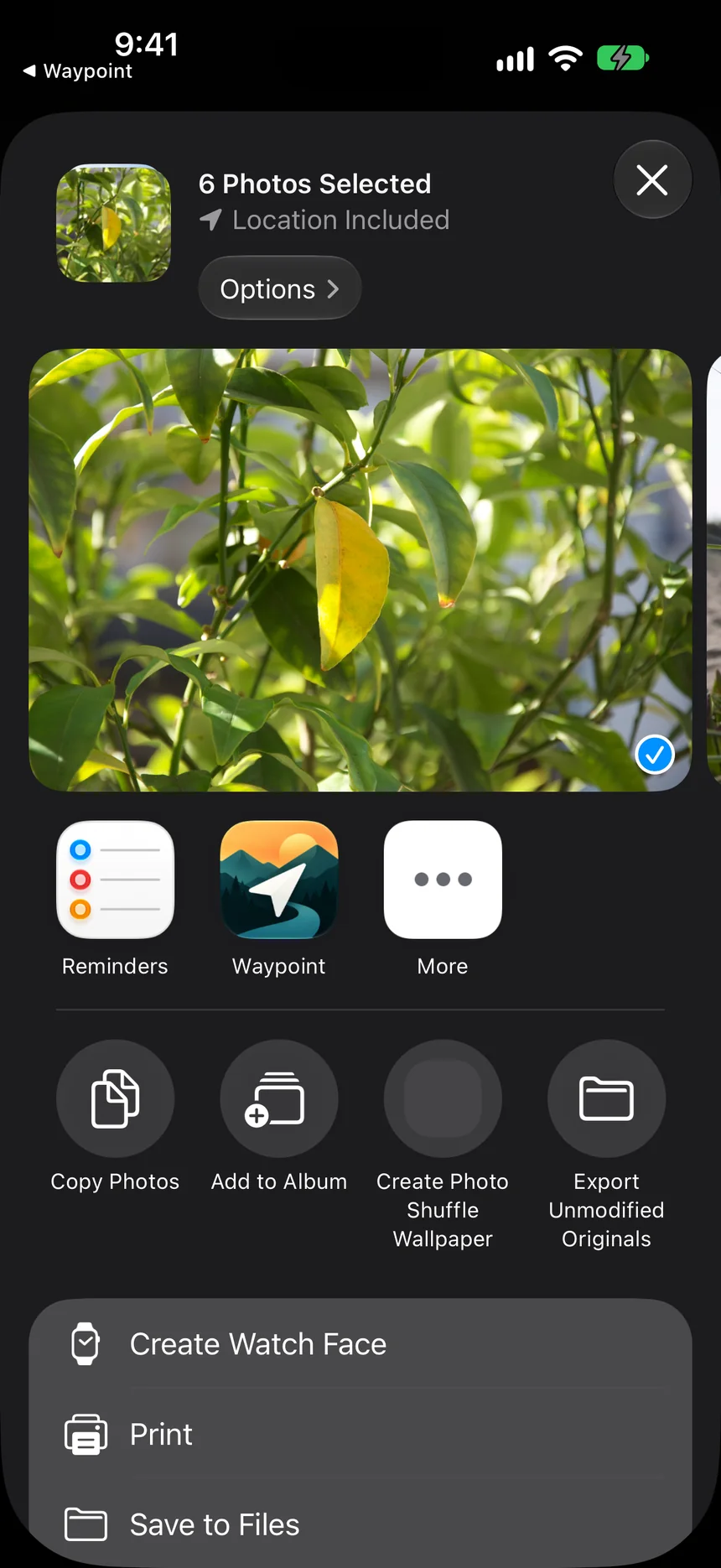
Choose photos in the Photos app and share them to Waypoint. They’re sorted by the stop you took them at, then sent to your TREK Journey, capture time and place included.

The iOS share sheet with Waypoint as a destination for 6 photos.
Send to Journey: photos grouped by stop, ready to send to the Japan trip.

To-Dos

The to-do list
comes along.

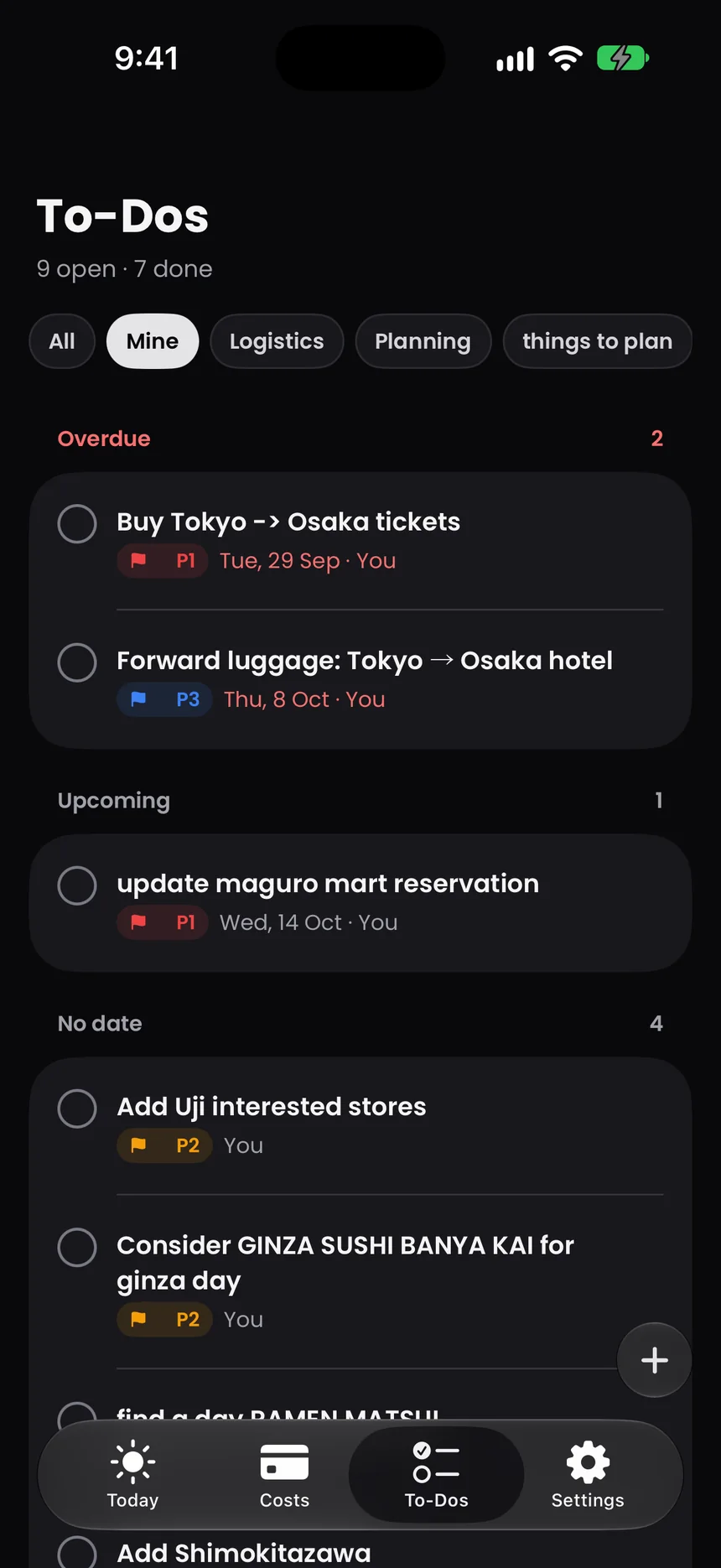
Tickets to buy, luggage to forward, a sushi counter to decide on. The trip’s to-dos from TREK, with priorities, due dates and who’s on it. Tick them off wherever you are.

  • P1 · Overdue
  • Due Thu, 8 Oct
  • Assigned to you
To-Dos: 9 open, 7 done, grouped into overdue, upcoming and no date.

Built for TREK.

Waypoint is the iPhone companion to TREK, the open‑source trip planner you host yourself. Plan the trip on the web with the people you travel with. Then put it in your pocket.

  1. 1

    Run TREK.

    TREK runs on a server you choose: a home lab, a NAS or a small VPS. Your trips live there, and only there.

  2. 2

    Point Waypoint at it.

    Type your server’s address and sign in with your TREK account. That’s the whole setup.

  3. 3

    Go.

    Stops, bookings, budget and to-dos are already there. Expenses and to-dos you add on the road are saved to TREK.

Your trip stays between
you and your server.

Waypoint talks to the TREK server you typed in, and that’s it. The person who made the app can’t see your trips, your spending or where you are.

  • No account with us.

    You sign in to your own TREK server. The sign-in lives in your iPhone’s Keychain.

  • No analytics. No ads.

    Nothing is tracked, nothing is sold, nothing phones home.

  • Location stays local.

    Your location is used on the device to notice arrivals. It’s never sent to the developer.

  • Receipts read on device.

    Merchant, total and category are worked out on your iPhone.1

Read the privacy policy
Waypoint app icon

Waypoint

Your TREK trip companion.

Download on theApp Store

Requires iOS 26.1 or later and a TREK server.